GitHub Copilot CLI: Public Preview

GitHub Copilot CLI is now in public preview GitHub bought power of GitHub Copilot coding agent directly to your terminal, with GitHub Copilot CLI, you can work locally and synchronously with an AI agent that understands your code and GitHub context in depth.
📖 Overview
GitHub Copilot CLI is now in public preview, and it’s designed to bring AI-powered development right to your command line. You can work locally and synchronously with an AI agent that understands your code and GitHub context no IDE switching required.
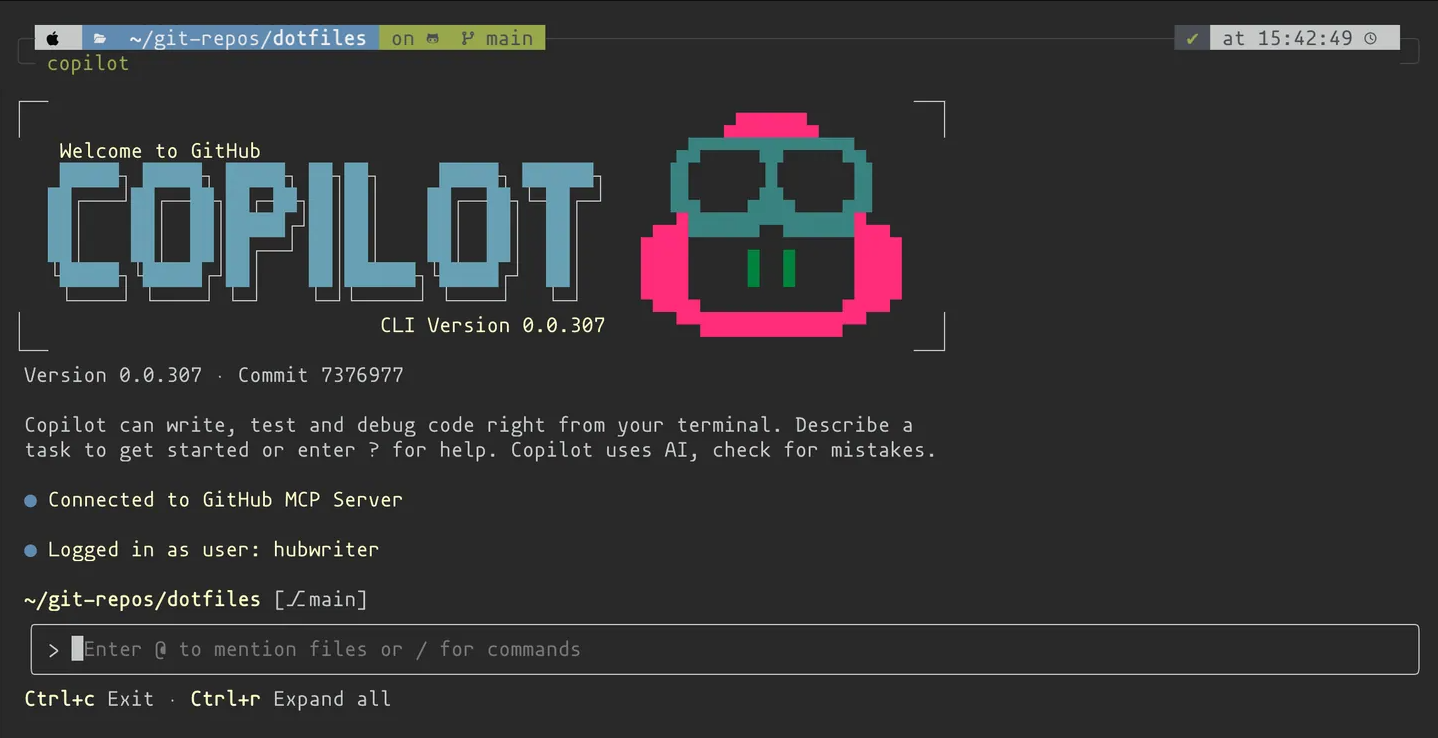
✨Key features:
- ✅Terminal-native dev – Use the Copilot coding agent directly in your terminal.
- ✅GitHub integration – Work with repositories, issues, and pull requests using llm.
- ✅Agentic capabilities – Build, edit, debug, and refactor code with AI.
- ✅MCP-powered extensibility – Extend with
custom MCP servers. - ✅Full control – Every action requires your explicit approval.
Plus, extend Copilot CLI's capabilities and context through custom MCP servers. Agent-powered, GitHub-native Execute coding tasks with an agent that knows your repositories, issues, and pull requests — all natively in your terminal.
📦 Getting Started
Supported Platforms
- ✅Linux
- ✅macOS
- ✅Windows (experimental)
Prerequisites
- ⚙️Node.js v22+
- ⚙️npm v10+
- ⚙️PowerShell v6+ (Windows only)
- ⚙️Active GitHub Copilot subscription (Pro, Pro+, Business, or Enterprise)
You can install the latest version of the powershell using this command and check the version as mentioned above it should be more than V6.
winget install Microsoft.PowerShell
pwsh --version
If you have access to GitHub Copilot via your organization of enterprise, you cannot use GitHub Copilot CLI if your organization owner or enterprise administrator has disabled it in the organization or enterprise settings. See Managing policies and features for GitHub Copilot in your organization for more information.
💽 Installation
Install globally with npm: Powered by the same agentic harness as GitHub's Copilot coding agent, it provides intelligent assistance while staying deeply integrated with your GitHub workflow. Enter the prompt in the command line.
npm install -g @github/copilot
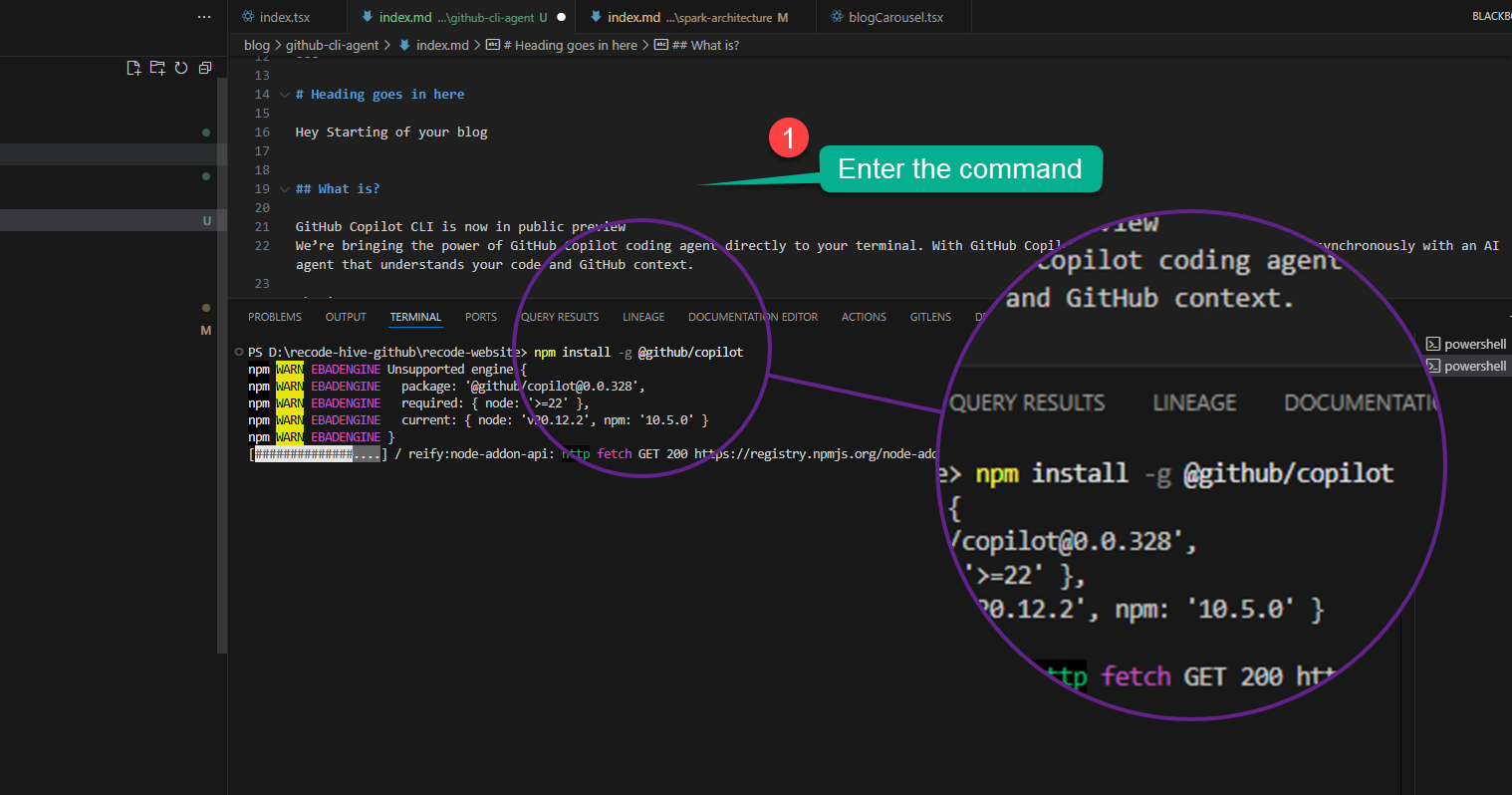
Verify installation: the below command will run the banner start image of GitHub Copilot.
copilot --banner
Authenticate with your GitHub account:
If you're not currently logged in to GitHub, you'll be prompted to use the /login slash command. Enter this command and follow the on-screen instructions to authenticate.
/login
Or authenticate using a Personal Access Token (PAT):
You can also authenticate using a fine-graned PAT with the "Copilot Rrequests" permission enabled.
Visit https://github.com/settings/personal-access-tokens/new
Under Permissions," click add permissions and select Copilot Requests
Generate your token
Add the token to your environment via the environment variable GH_TOKEN or GITHUB_TOKEN.👇🏻
# Linux/macOS
export GH_TOKEN=your_token_here

# Windows
setx GH_TOKEN your_token_here
🖥️ Usage
Once installed, run copilot on your terminal, Image of the splash screen for the Copilot CLI. The usage is pretty straight forward you can use the arrow keys to navigate to proceed cancel instruction etc.
Each time you submit a prompt to GitHub Copilot CLI, your monthly quota of premium requests is reduced by one. For information about premium requests,
https://docs.github.com/en/copilot/concepts/billing/copilot-requests
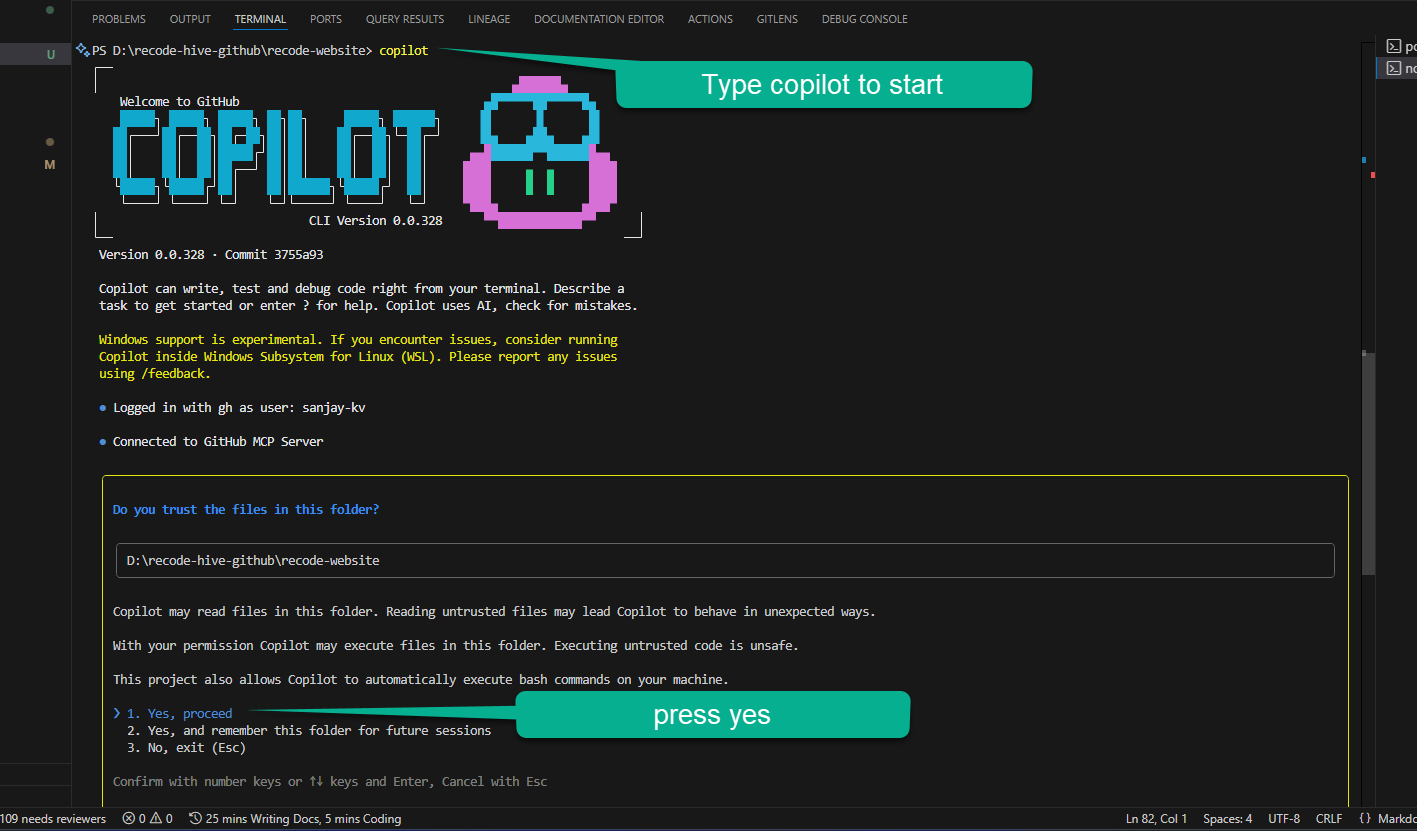
Launch Copilot CLI in a project folder:
copilot
By default, it runs Claude Sonnet 4. To switch to GPT-5:
# Linux/macOS
COPILOT_MODEL=gpt-5 copilot

# Windows
set COPILOT_MODEL=gpt-5
Version checking and Exit CLI
copilot --version
Exit anytime with:
Ctrl + C (twice)
Get Suggestions for Common Dev Tasks
Now let's get started with development, here fork this repo and activate GitHub CLI and enter the below bash commands. Website
List of all commands in CLI
I have linked the offical website repo to log any bugs or do direct PR. GitHub CLI repo and Official Documentation
alias
api
attestation
auth
browse
cache
co
codespace
completion
config
extension
gist
gpg-key
issue
label
org
pr
preview
project
release
repo
ruleset
run
search
secret
ssh-key
status
variable
workflow
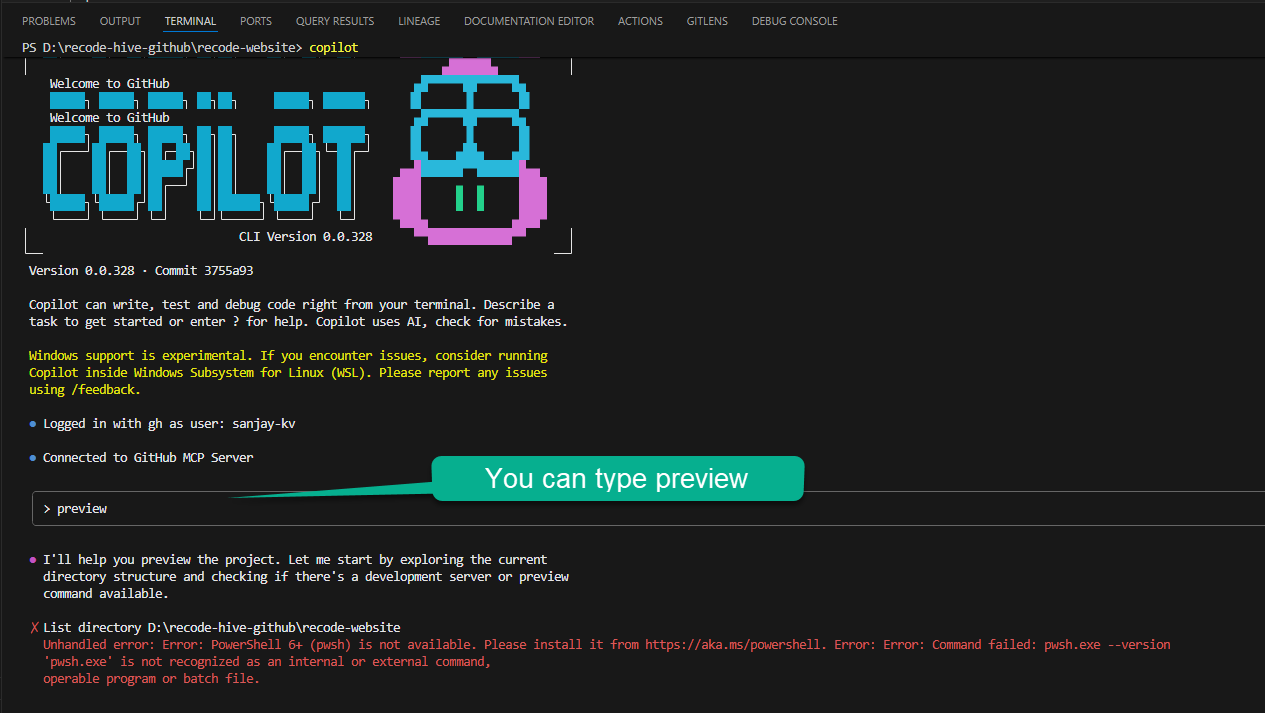
For preview to run enter the following command. 👇🏻
Documentation
gh copilot suggest "create new documentation page in docusaurus"
gh copilot suggest "organize documentation with sidebars"
gh copilot suggest "create code of conduct for repository"
Git Workflow
gh copilot suggest "create feature branch for new blog post"
gh copilot suggest "commit changes to blog content"
gh copilot suggest "create pull request for documentation updates"
Repository Maintenance
gh copilot suggest "check repository status and pending changes"
gh copilot suggest "merge feature branch after review"
Testing & Quality
gh copilot suggest "run linting checks on typescript files"
gh copilot suggest "fix build errors in docusaurus"
Package Management
gh copilot suggest "update docusaurus to latest version"
Development
gh copilot suggest "start development server for docusaurus"
gh copilot suggest "build docusaurus site for production"
gh copilot suggest "deploy docusaurus site"
SEO and metadata
gh copilot suggest "optimize SEO for docusaurus website"
gh copilot suggest "add metadata to blog posts"
🔗 Resources
✅ Final Verdict
GitHub Copilot CLI is the next step in developer productivity bringing AI assistance natively to your terminal. With support for repositories, workflows, testing, and documentation, it simplifies development without taking control away from you.
Less setup, more shipping.